 DockThumb
Do more with Dock stacks. Without opening Finder.
A Dock stack is the folder you keep next to the Trash, often Downloads. It is the fastest way to reach your latest files, and also one of the most limited parts of macOS.
What macOS does by default
Click a file in a stack and it opens. Drag it and it moves. That is all: no right-click menu on the file, no rename, no trash, no copy. To do anything else you open the folder in Finder and find the file again.
How it works in DockThumb
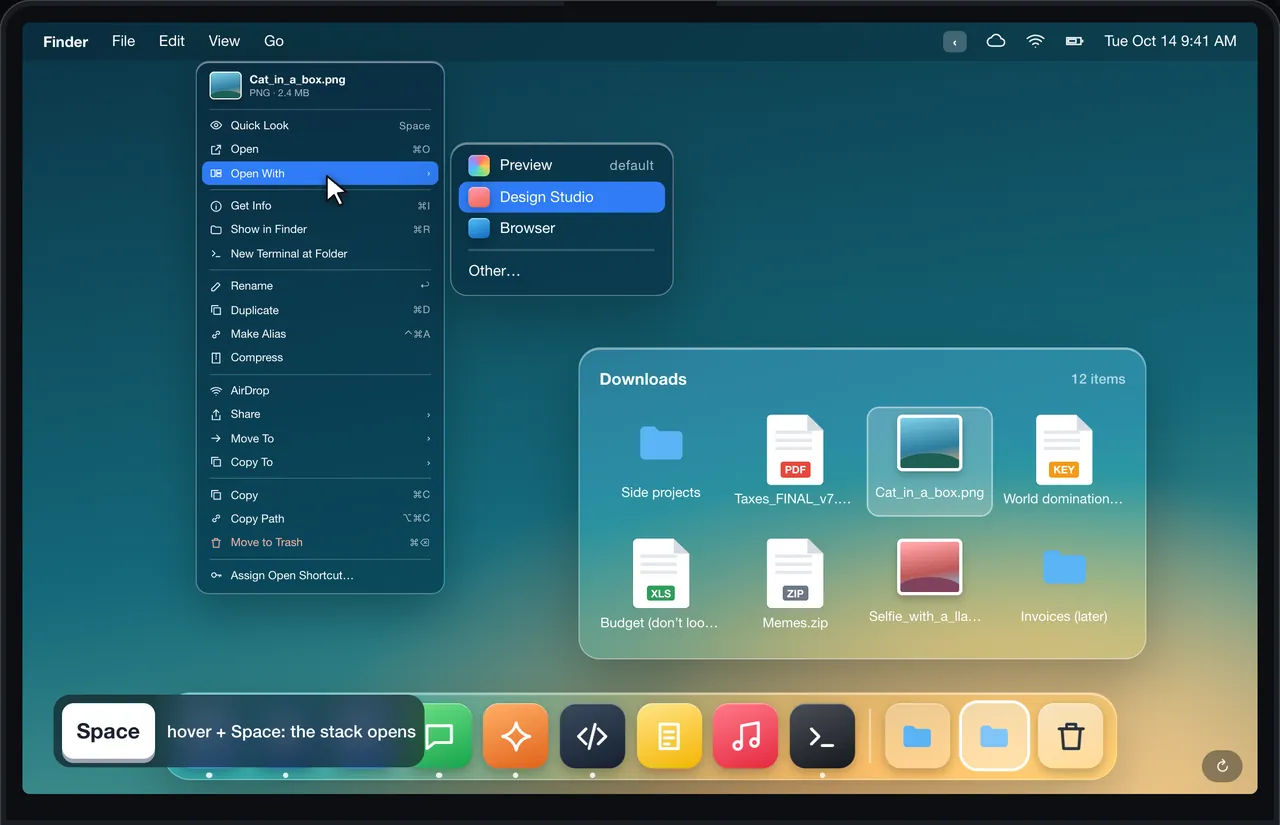
- Hover the stack and press Space to open it.
- Right-click any file inside: Quick Look, Get Info, rename, duplicate, copy, copy path, AirDrop, compress, open a Terminal there. The stack stays open.
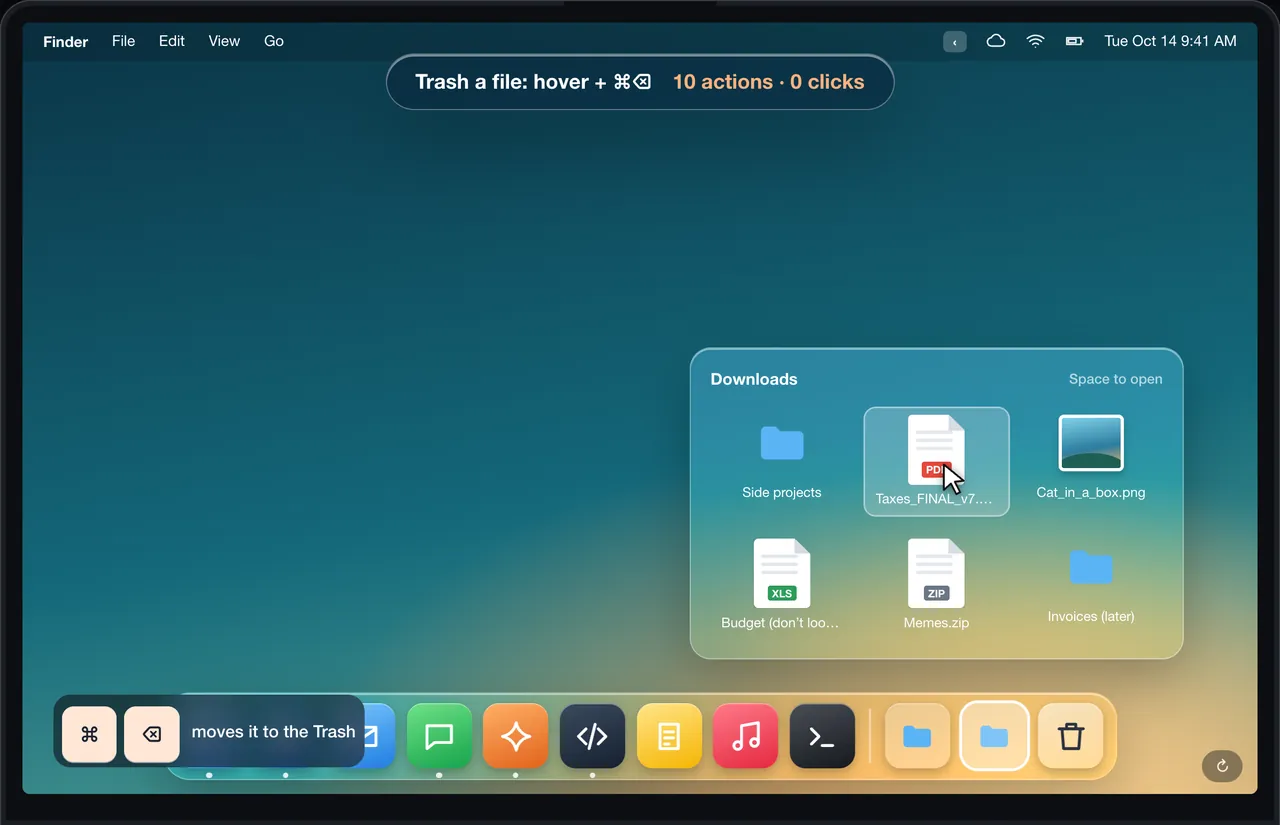
- Or skip the menu: hover a file and press ⌘C, ↩ to rename, ⌘D to duplicate, ⌘⌫ to trash.
- Several files? Drag across the stack or ⇧-click them, then press Space or ⌘N to put them in a new folder you name right away.
- Wrong file? ⌘Z puts it back, even from the Trash.
Shortcuts
| Keys | What it does |
|---|---|
| Space | Open the hovered stack or file |
| ⌘C | Copy the file |
| ⌘I | Get Info |
| ⌘⌫ | Move to Trash |
| ⇧ + click | Add a file to the selection |
| ⌘N | New folder with the selected files |
| ⌘Z | Undo |
Every shortcut can be changed in Settings.
What it looks like in DockThumb
Other options
We have not found another app that acts on files inside Dock stacks. DockDoor (free) adds window previews when you hover Dock apps, which is a different job. The usual workaround is to open the folder in Finder.
Questions
Can you right-click a file in a Dock stack on Mac?
Not on a stock Mac. With DockThumb, right-clicking a file inside a stack opens a full menu of actions and the stack stays open.
Can I put several files from a Dock stack into a new folder?
Yes. Drag across the stack or ⇧-click the files to select them, then press Space or ⌘N. DockThumb asks for a name and moves them into the new folder. ⌘Z undoes it.
How do I delete a file from the Downloads stack?
Hover the file and press ⌘⌫. It goes to the Trash, and ⌘Z brings it back if you change your mind.
Hover it. Press a key. That’s the trick.
$4.99 once, no subscription, no account, 14-day refund. macOS 14 or later on Apple silicon.