 DockThumb
A real window switcher for Mac. Alt+Tab, done right.
On a Mac, ⌘⇥ shows one icon per app. If you have three browser windows and two code editors open, you cannot pick the one you want from there. A window switcher fixes that: one shortcut, every window, with a live thumbnail.
What macOS does by default
⌘⇥ switches between apps. ⌘` cycles through the windows of the app in front, one by one, with no preview. Mission Control shows every window, but you need a gesture or F3, and then the mouse. None of them shows all windows in one list you can drive from the keyboard.
How it works in DockThumb
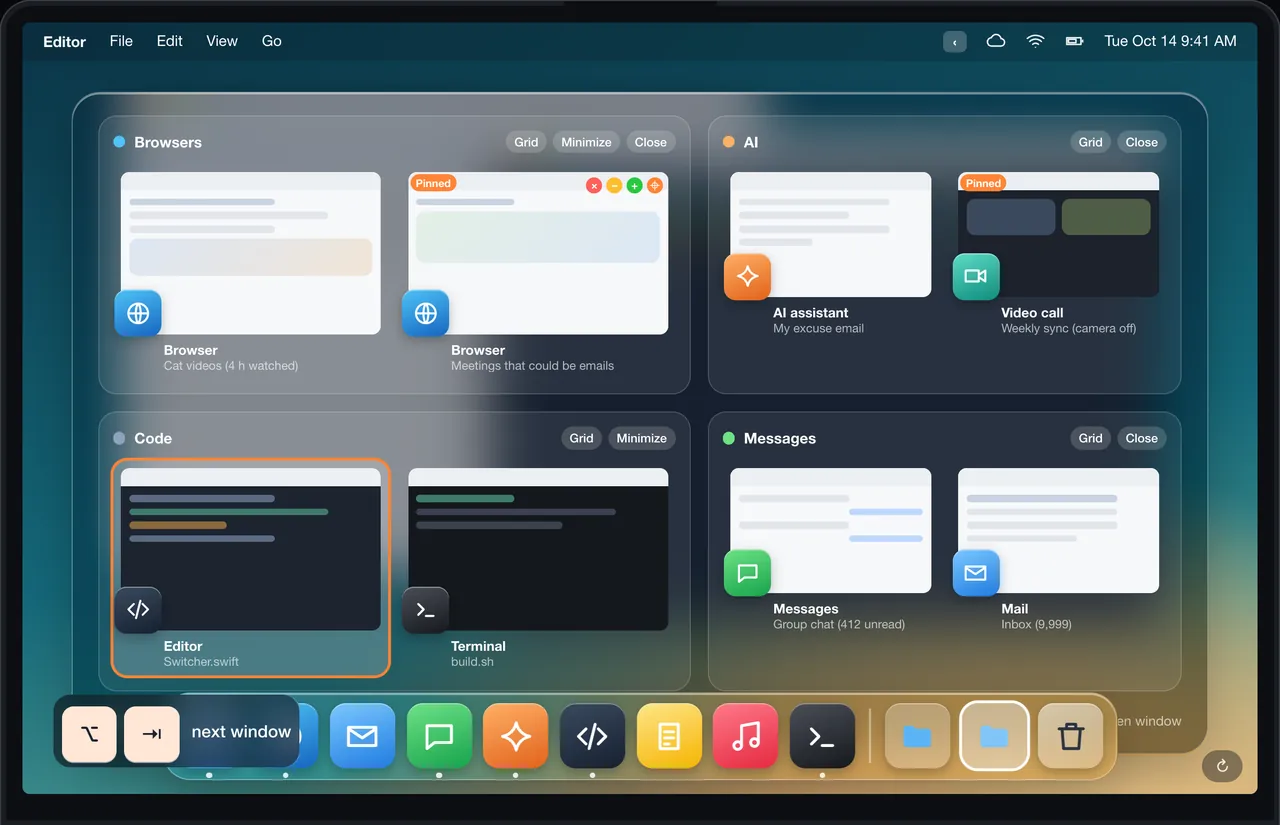
- Press ⌥⇥. Every open window appears with a live thumbnail, sorted into groups: browsers, AI tools, code, messages.
- A quick tap flips between your last two windows. Hold ⌥ to look around, move with ⇥ or the mouse, release to go.
- One click on a group tiles it into a grid, minimizes it or closes it. Twelve browser windows become one tidy grid.
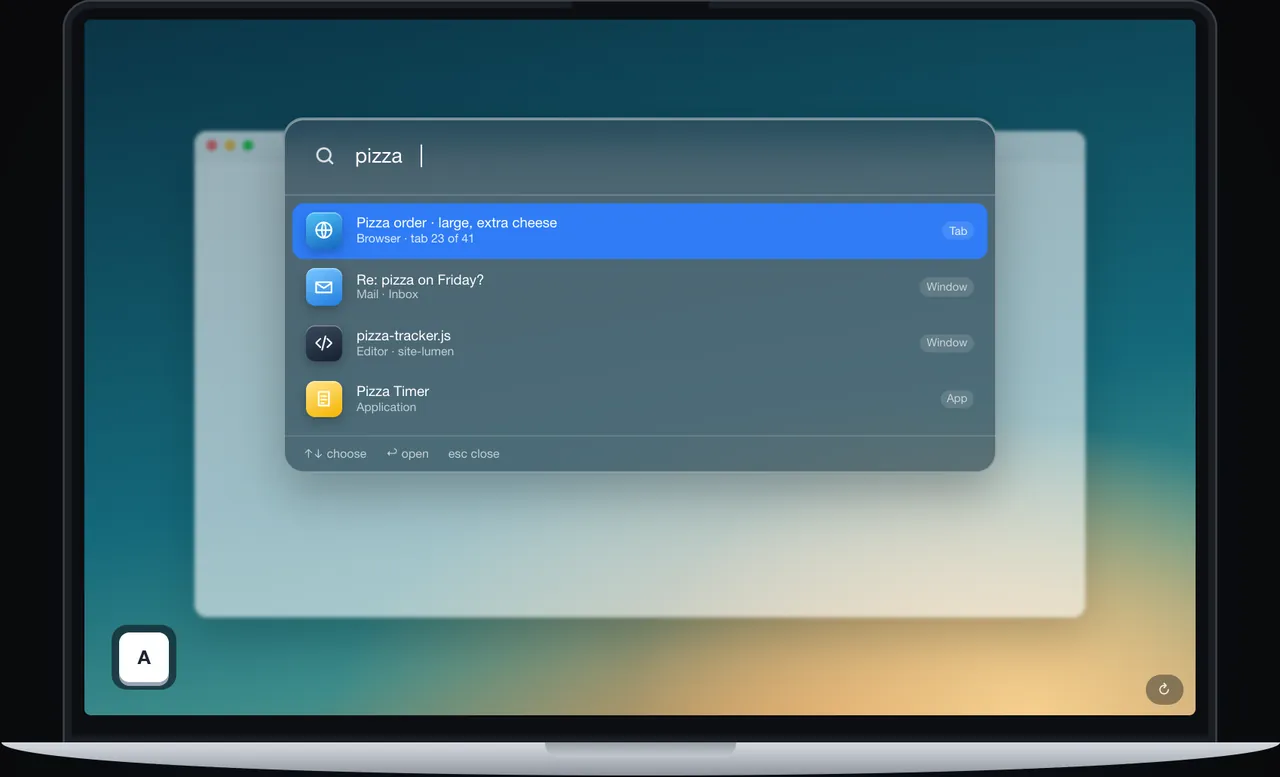
- Lost a tab? Tap ⌥ twice to search your windows, apps and browser tabs by name.
Shortcuts
| Keys | What it does |
|---|---|
| ⌥⇥ | Open the switcher |
| ⌥ ⌥ | Search windows and tabs |
| ⌃⌥A | Auto-grid every window by type |
| ⌘W | Close the hovered window |
Every shortcut can be changed in Settings.
What it looks like in DockThumb
Questions
How do I switch between windows of the same app on Mac?
macOS uses ⌘` (the key above Tab on most keyboards) to cycle through windows of the app in front. With DockThumb, ⌥⇥ shows the windows of every app at once, so you pick the right one directly.
Can I get Windows-style Alt+Tab on a Mac?
Yes, with a window switcher app. DockThumb’s ⌥⇥ works like Alt+Tab with thumbnails, and adds groups by type and one-click grids.
Will it replace my ⌘⇥?
Only if you want it to. You choose ⌥⇥ or ⌘⇥ in Settings. Quit the app and the original ⌘⇥ comes back.
Hover it. Press a key. That’s the trick.
$4.99 once, no subscription, no account, 14-day refund. macOS 14 or later on Apple silicon.