 DockThumb
Looking for an AltTab alternative? Here’s when DockThumb fits, and when it doesn’t.
AltTab brings the Windows-style Alt+Tab to the Mac: press a shortcut and you see every open window with a thumbnail, not just one icon per app. It is free, open source and has a lot of settings.
Pick AltTab if…
- You only want a window switcher
- You want it free and open source
- You like adjusting every option of the switcher
Free, open source
Pick DockThumb if…
- You want windows grouped by type and tiled in one click
- You also want hover + one key on Dock apps and files in Dock stacks
- You want tiling and a pinned window in the same app
$4.99 once · yours for life
What AltTab does well
AltTab does one job and does it well. You can change the size of the thumbnails, the order of the windows, which apps to ignore and how the list looks. Because it is open source, it has a large community and frequent updates. If what bothers you on macOS is only that ⌘⇥ shows apps instead of windows, AltTab fixes it for free.
What DockThumb adds
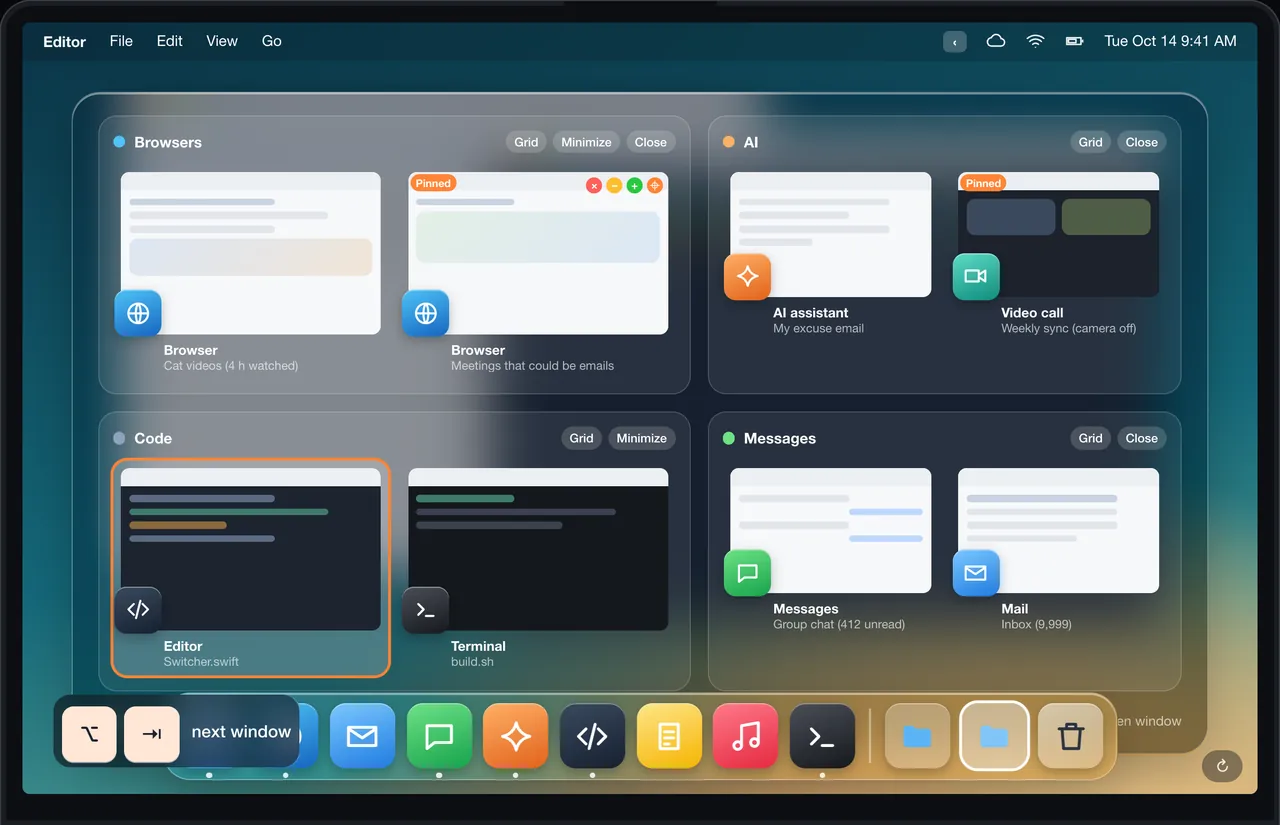
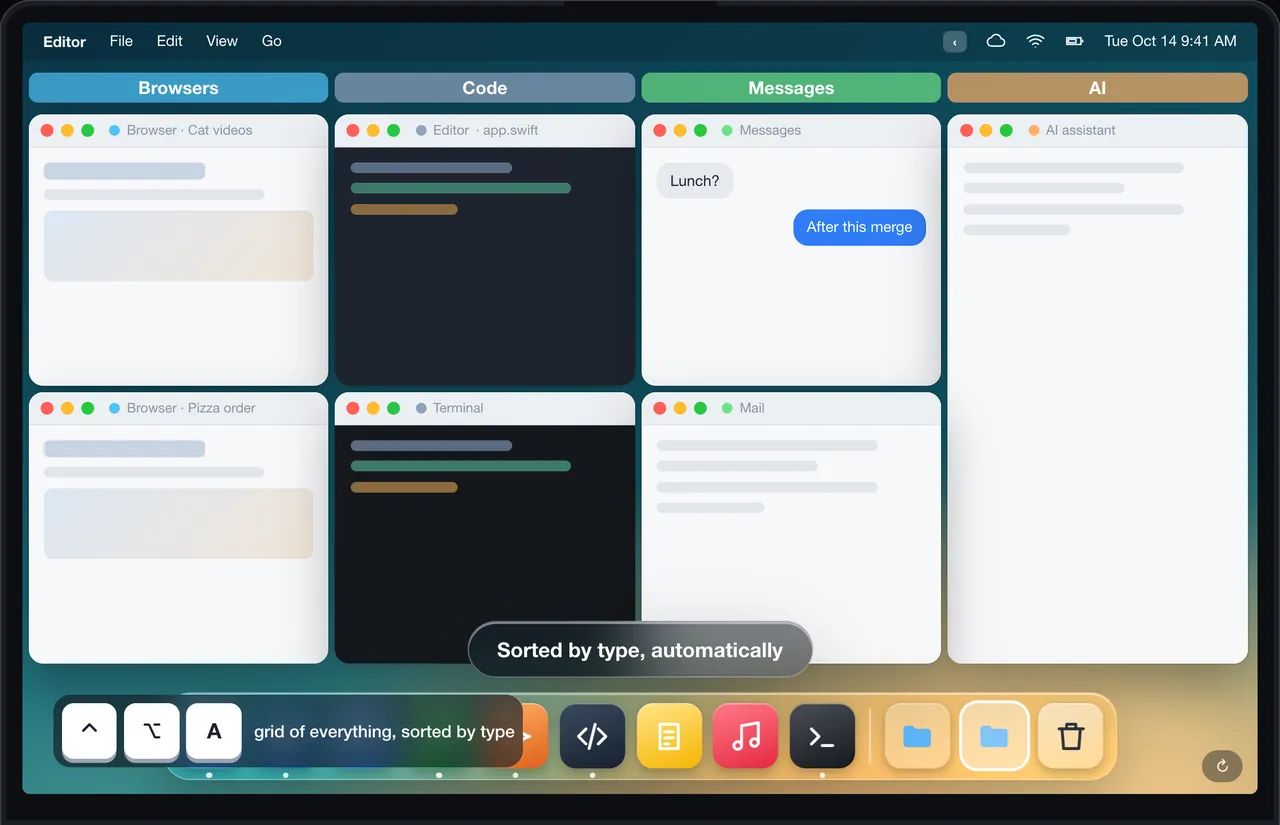
DockThumb’s switcher sorts windows by type (browsers, AI tools, code, chat) and can tile a whole group in one click, so twelve browser windows become a tidy grid. The rest of the app goes beyond switching: you point at an app or a file in the Dock and press one key to open, hide, quit, copy or trash it.
Side by side
| Feature | DockThumb | AltTab |
|---|---|---|
| Window switcher with thumbnails | ✓ | ✓ |
| Groups windows by type | ✓ | ✕ |
| Tile a whole group in one click | ✓ | ✕ |
| Act on files inside Dock stacks | ✓ | ✕ |
| Hover + Space / ⌘Q on Dock apps | ✓ | ✕ |
| Keyboard tiling | ✓ | ✕ |
| Pin a window on top | ✓ | ✕ |
| Many switcher settings | ~ | ✓ |
| Open source | ✕ | ✓ |
| Price | $4.99 once | Free, open source |
Price: AltTab vs DockThumb
AltTab costs nothing. DockThumb costs $4.99 once, with no subscription. The question is not the price but the scope: AltTab replaces ⌘⇥, DockThumb also covers the Dock, tiling and pinning.
Prices noted on October 15, 2026. ~ means partly. Check AltTab’s official site before buying: alt-tab-macos.netlify.app
What it looks like in DockThumb
Questions
What’s the best AltTab alternative for Mac?
There is no single best one: it depends on what you use AltTab for. DockThumb’s switcher sorts windows by type (browsers, AI tools, code, chat) and can tile a whole group in one click, so twelve browser windows become a tidy grid. The rest of the app goes beyond switching: you point at an app or a file in the Dock and press one key to open, hide, quit, copy or trash it.
How much does AltTab cost?
AltTab: Free, open source, as noted on October 15, 2026. DockThumb costs $4.99 once, with no subscription and a 14-day refund.
Can I use DockThumb and AltTab at the same time?
Yes. DockThumb’s switcher sits on ⌥⇥ by default and can be turned off in Settings, so you can keep AltTab for switching and use DockThumb for the Dock and tiling.
Which Macs does DockThumb run on?
DockThumb needs macOS 14 Sonoma or later on a Mac with Apple silicon. Intel Macs are not supported.
Hover it. Press a key. That’s the trick.
$4.99 once, no subscription, no account, 14-day refund. macOS 14 or later on Apple silicon.