 DockThumb
Looking for a DockDoor alternative? Here’s when DockThumb fits, and when it doesn’t.
DockDoor is a free, open-source app that shows previews of an app’s windows when you hover its Dock icon. It also adds an Option+Tab switcher with previews and can preview the contents of Dock folders. Of all the apps on this site, it is the closest to DockThumb, with a different focus.
Pick DockDoor if…
- You want window previews when you hover a Dock icon
- You want it free and open source
Free, open source
Pick DockThumb if…
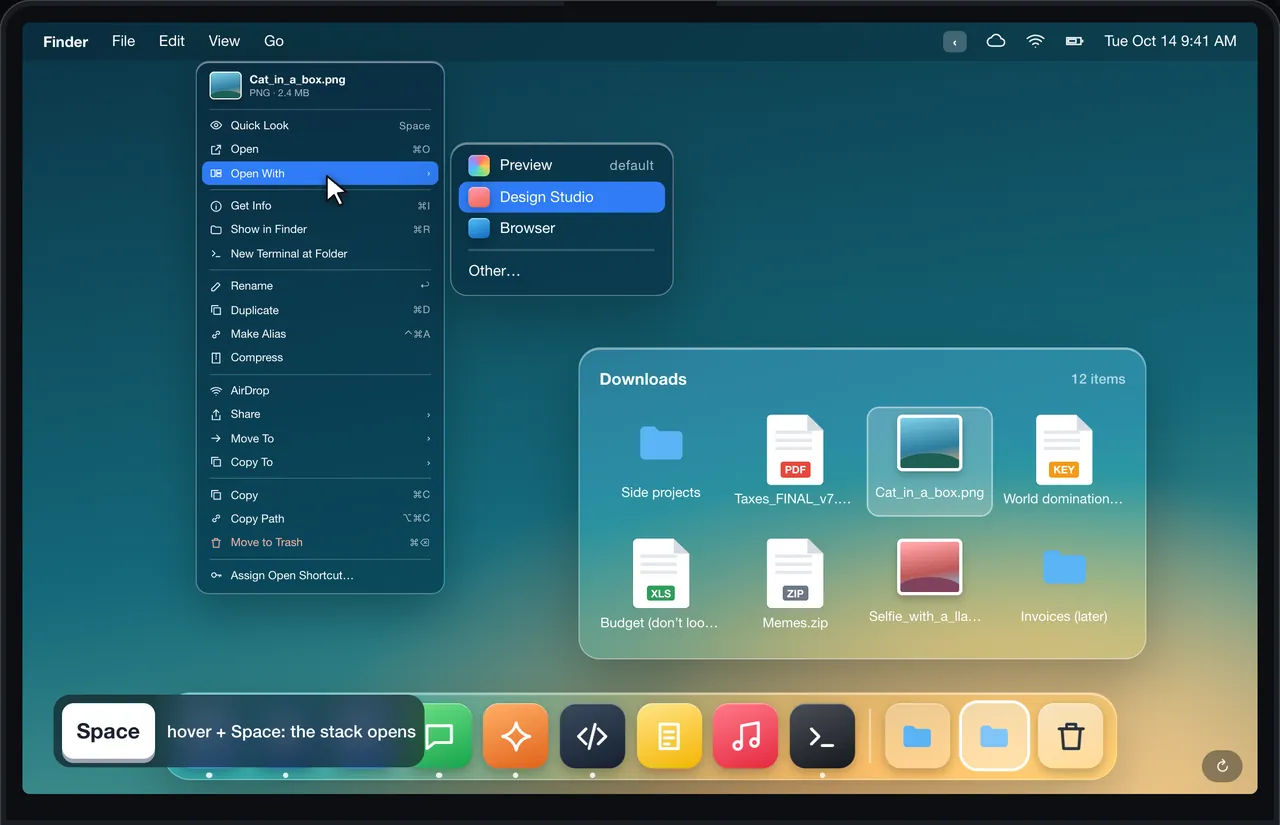
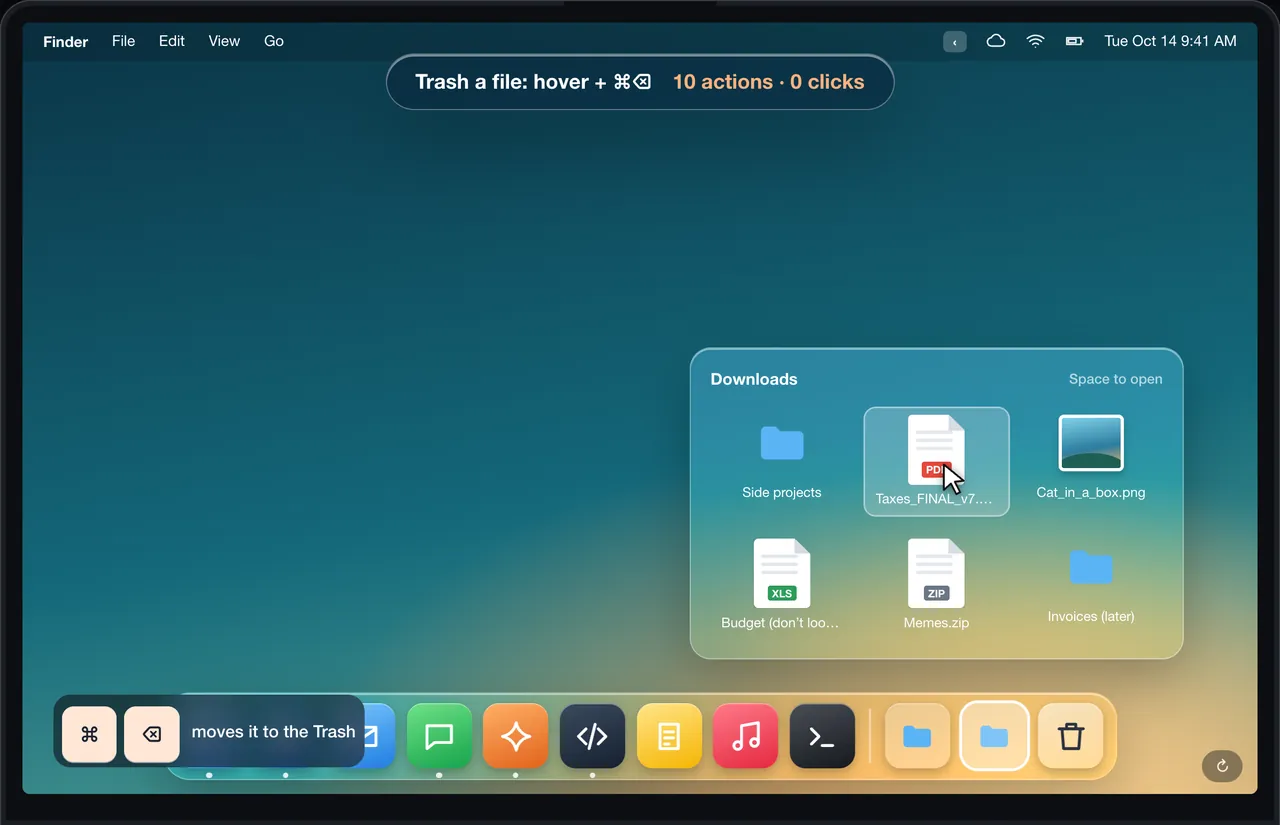
- You want to act on files inside Dock stacks: copy, trash, undo, rename, right-click menu
- You want Space to open or hide a Dock app and ⌘Q to quit it
- You want windows grouped by type, tiling and pin-on-top
$4.99 once · yours for life
What DockDoor does well
DockDoor does something DockThumb does not: window previews when you hover a Dock icon, a bit like Windows. It runs locally, is free and is developed in the open.
What DockThumb adds
DockThumb is about acting on what you point at. Hover a Dock stack and press Space to open it, hover a file inside and press ⌘C to copy it, ⌘⌫ to trash it, ⌘Z to bring it back, or right-click it for a full file menu without leaving the stack. On a Dock app, Space opens or hides it and ⌘Q quits it. It also groups windows by type, tiles and pins.
Side by side
| Feature | DockThumb | DockDoor |
|---|---|---|
| Window previews on Dock hover | ✕ | ✓ |
| Preview Dock folder contents | ✓ | ✓ |
| Act on files inside Dock stacks | ✓ | ✕ |
| Right-click menu inside Dock stacks | ✓ | ✕ |
| Hover + Space / ⌘Q on Dock apps | ✓ | ✕ |
| Option+Tab switcher with thumbnails | ✓ | ✓ |
| Groups windows by type | ✓ | ✕ |
| Keyboard tiling and pin-on-top | ✓ | ✕ |
| Open source | ✕ | ✓ |
| Price | $4.99 once | Free, open source |
Price: DockDoor vs DockThumb
DockDoor is free. DockThumb is $4.99 once. They are less competitors than complements: one shows windows, the other acts on what you hover.
Prices noted on October 15, 2026. ~ means partly. Check DockDoor’s official site before buying: dockdoor.net
What it looks like in DockThumb
Questions
What’s the best DockDoor alternative for Mac?
There is no single best one: it depends on what you use DockDoor for. DockThumb is about acting on what you point at. Hover a Dock stack and press Space to open it, hover a file inside and press ⌘C to copy it, ⌘⌫ to trash it, ⌘Z to bring it back, or right-click it for a full file menu without leaving the stack. On a Dock app, Space opens or hides it and ⌘Q quits it. It also groups windows by type, tiles and pins.
How much does DockDoor cost?
DockDoor: Free, open source, as noted on October 15, 2026. DockThumb costs $4.99 once, with no subscription and a 14-day refund.
Can I use DockThumb and DockDoor at the same time?
Yes, they do different things. If both switchers are on, give them different shortcuts.
Which Macs does DockThumb run on?
DockThumb needs macOS 14 Sonoma or later on a Mac with Apple silicon. Intel Macs are not supported.
Hover it. Press a key. That’s the trick.
$4.99 once, no subscription, no account, 14-day refund. macOS 14 or later on Apple silicon.