 DockThumb
Looking for a Bartender alternative? Here’s when DockThumb fits, and when it doesn’t.
Bartender is the reference for the Mac menu bar: hide, rearrange and search menu bar items, show them automatically with triggers, and use its own bar. If your menu bar is the problem, it is the most complete tool.
Pick Bartender if…
- Your menu bar is your main problem
- You want triggers, search and fine control over each item
About $16 · Surtees Studios
Pick DockThumb if…
- A simple “hide behind one button” is enough
- You want Dock stack actions and hover + one key on Dock apps
- You want a switcher grouped by type, tiling and pin-on-top
$4.99 once · yours for life
What Bartender does well
Bartender goes much further than DockThumb on the menu bar: triggers (show the battery when you unplug, the VPN on public Wi-Fi), search across menu bar items, and fine control over each icon.
What DockThumb adds
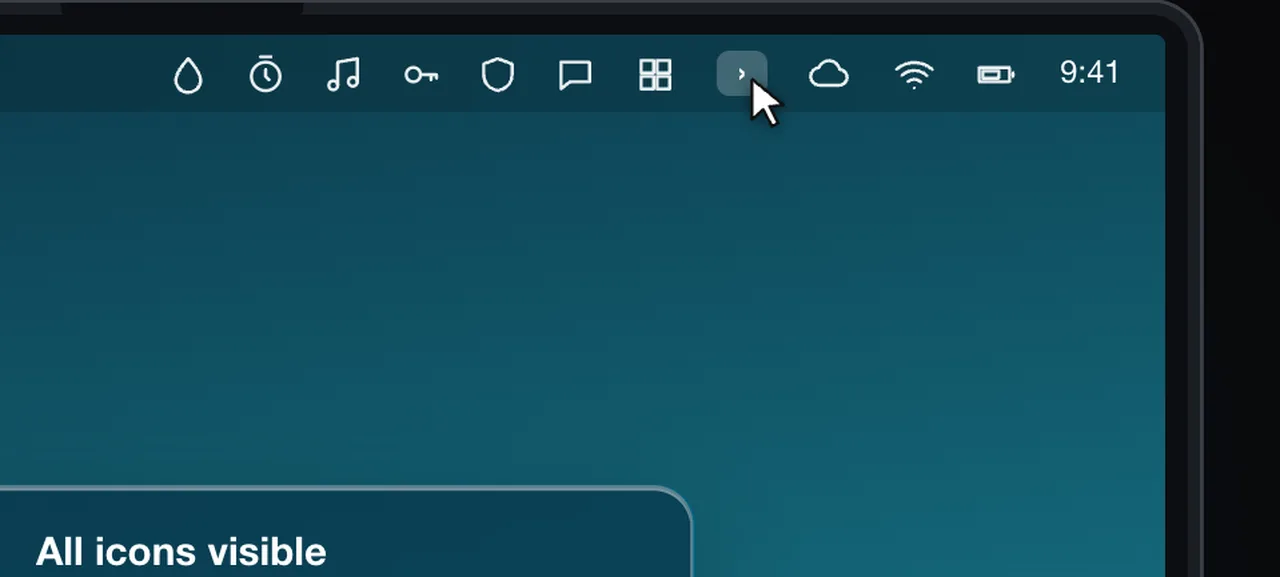
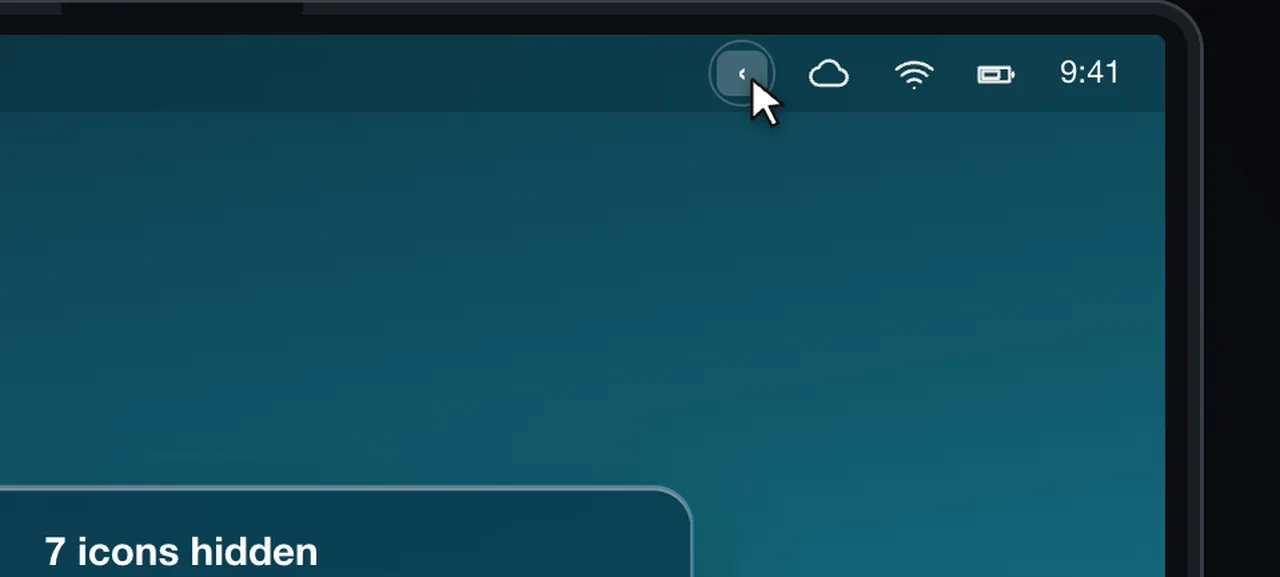
DockThumb’s menu bar tool is deliberately simple: one button tucks the icons away and brings them back. The rest of the app is about the Dock and windows: hover + one key on apps and Dock stacks, a switcher grouped by type, tiling and pinning.
Side by side
| Feature | DockThumb | Bartender |
|---|---|---|
| Hide menu bar icons behind one button | ✓ | ✓ |
| Triggers, search, custom bar | ✕ | ✓ |
| Act on files inside Dock stacks | ✓ | ✕ |
| Hover + Space / ⌘Q on Dock apps | ✓ | ✕ |
| Window switcher grouped by type | ✓ | ✕ |
| Keyboard tiling and auto-grids | ✓ | ✕ |
| Pin a window on top | ✓ | ✕ |
| Price | $4.99 once | About $16 |
Price: Bartender vs DockThumb
Bartender is around $16. DockThumb is $4.99 once. If you need advanced menu bar control, Bartender is worth it; if a simple hider is enough, DockThumb covers it along with the Dock and windows.
Prices noted on October 15, 2026. ~ means partly. Check Bartender’s official site before buying: www.macbartender.com
What it looks like in DockThumb
Questions
What’s the best Bartender alternative for Mac?
There is no single best one: it depends on what you use Bartender for. DockThumb’s menu bar tool is deliberately simple: one button tucks the icons away and brings them back. The rest of the app is about the Dock and windows: hover + one key on apps and Dock stacks, a switcher grouped by type, tiling and pinning.
How much does Bartender cost?
Bartender: About $16, as noted on October 15, 2026. DockThumb costs $4.99 once, with no subscription and a 14-day refund.
Can I use DockThumb and Bartender at the same time?
Yes. Turn off DockThumb’s menu bar tool in Settings and keep everything else.
Which Macs does DockThumb run on?
DockThumb needs macOS 14 Sonoma or later on a Mac with Apple silicon. Intel Macs are not supported.
Hover it. Press a key. That’s the trick.
$4.99 once, no subscription, no account, 14-day refund. macOS 14 or later on Apple silicon.