 DockThumb
Looking for a Moom alternative? Here’s when DockThumb fits, and when it doesn’t.
Moom, from Many Tricks, is a polished window manager. Hover the green button of a window to get a grid, move and resize from the keyboard, and save layouts you can restore later.
Pick Moom if…
- You want saved layouts you can restore
- You like resizing from the green window button
- Window management is the only thing you need
$15 · Many Tricks
Pick DockThumb if…
- You want every window sorted into a grid by type with one key
- You also want a switcher grouped by type and pin-on-top
- You want hover + one key in the Dock and its stacks
$4.99 once · yours for life
What Moom does well
Moom is deeper than DockThumb for layouts. Saved layouts are useful if you switch between a laptop screen and an external display, and the green-button grid is quick once you learn it.
What DockThumb adds
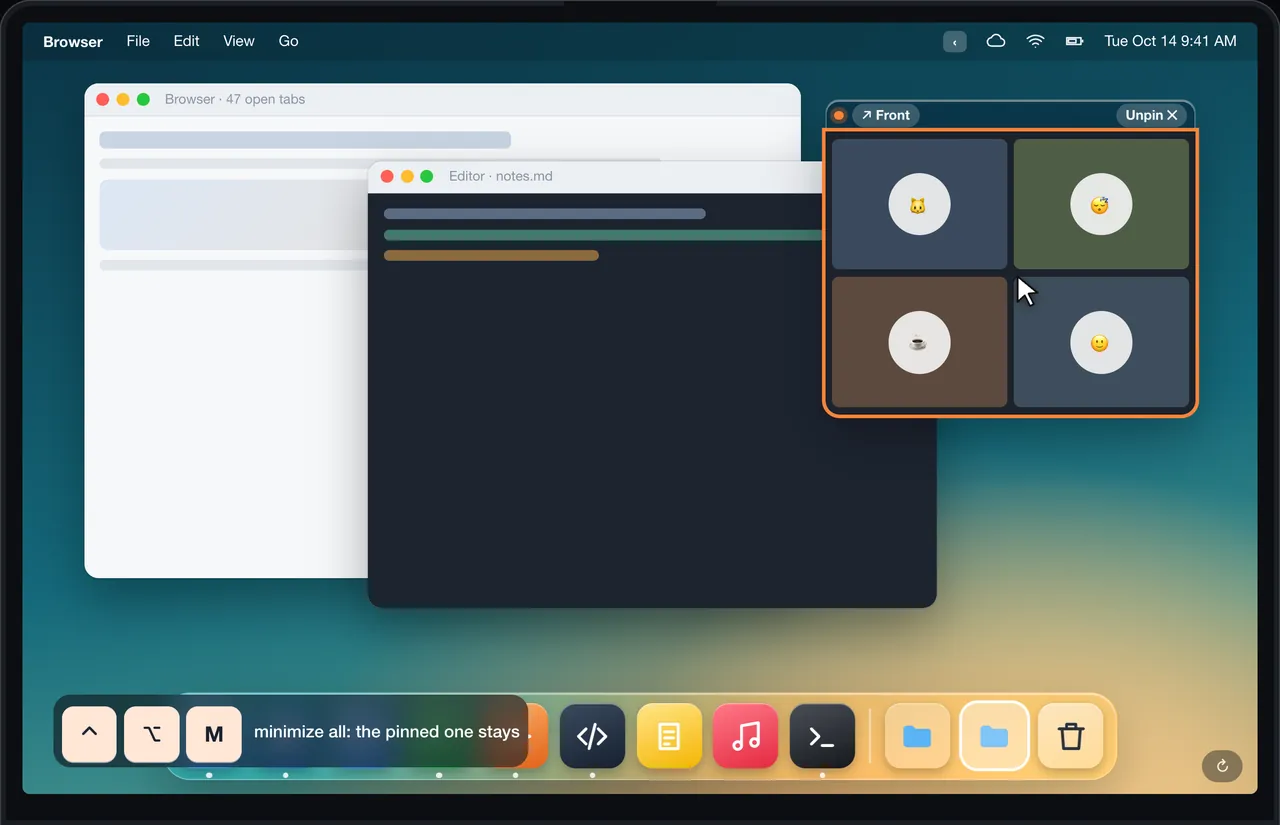
DockThumb focuses on speed for everyday cases: ⌃⌥ + arrows for halves and thirds, ⌃⌥A to sort every window into a grid by type, ⌃⌥P to pin one on top. It adds a switcher grouped by type and hover + one key in the Dock and its stacks.
Side by side
| Feature | DockThumb | Moom |
|---|---|---|
| Keyboard tiling | ✓ | ✓ |
| Saved, restorable layouts | ✕ | ✓ |
| Grid from the green button | ✕ | ✓ |
| Auto-grid every window by type | ✓ | ✕ |
| Window switcher grouped by type | ✓ | ✕ |
| Act on files inside Dock stacks | ✓ | ✕ |
| Pin a window on top | ✓ | ✕ |
| Price | $4.99 once | $15 |
Price: Moom vs DockThumb
Moom is $15. DockThumb is $4.99 once and covers the everyday part of window management plus the Dock, switching and pinning.
Prices noted on October 15, 2026. ~ means partly. Check Moom’s official site before buying: manytricks.com/moom
What it looks like in DockThumb

Questions
What’s the best Moom alternative for Mac?
There is no single best one: it depends on what you use Moom for. DockThumb focuses on speed for everyday cases: ⌃⌥ + arrows for halves and thirds, ⌃⌥A to sort every window into a grid by type, ⌃⌥P to pin one on top. It adds a switcher grouped by type and hover + one key in the Dock and its stacks.
How much does Moom cost?
Moom: $15, as noted on October 15, 2026. DockThumb costs $4.99 once, with no subscription and a 14-day refund.
Can I use DockThumb and Moom at the same time?
Yes. Moom is deeper for layouts; turn off DockThumb’s tiling and keep Moom if you rely on saved layouts.
Which Macs does DockThumb run on?
DockThumb needs macOS 14 Sonoma or later on a Mac with Apple silicon. Intel Macs are not supported.
Hover it. Press a key. That’s the trick.
$4.99 once, no subscription, no account, 14-day refund. macOS 14 or later on Apple silicon.